Imagine handing your child the keys to a magical, endless amusement park. They can play games, watch funny videos, and learn about dinosaurs or outer space at lightning speed. It is an incredible place filled with pure magic and learning!
But just like a real amusement park, the internet has crowded areas, strangers, and places where kids shouldn’t wander alone. We teach our children to look both ways before crossing the physical street; today, we must teach them how to safely cross the digital street.
By establishing specific digital guidelines, you can build trust and take the fear out of screen time. We have put together the ultimate list of 10 simple internet safety rules for kids that are actually easy for them to remember. Let’s make digital safety a fun, stress-free family conversation!
🚨 Why Your Child Needs Online Safety Guidelines Today
The internet is an amazing tool, but it wasn’t built exclusively for children. Without boundaries, a simple search for a cartoon can quickly lead to inappropriate content or contact with someone they don’t know.
| The Online Threat | What It Looks Like | How It Impacts Kids |
|---|---|---|
| Cyberbullying | Mean comments on games like Roblox or messages on social media. | Can lead to sudden anxiety, sadness, and dropping grades. |
| Online Predators | Strangers pretending to be kids to join multiplayer games. | Breaches family privacy and creates dangerous real-world risks. |
| Inappropriate Content | Violent or scary pop-up videos. | Can cause nightmares and unhealthy digital habits. |
Teaching your child online safety tips isn’t about scaring them—it’s about empowering them. When kids know what to look out for, they become confident, smart digital citizens.
🛡️ Internet Safety Rules for Kids: Core Protection Principles
Let’s dive into the first few rules every child should memorize. These foundational digital safety rules for kids will protect their identity and keep hackers at bay.
Rule 1: Keep Personal Info Locked Up
Teach your child that their personal information is like a treasure chest—they should never give the key to a stranger. They should never share their full name, home address, phone number, or the name of their school online. Even seemingly harmless questions like “What town do you live in?” in a game chat should be ignored.
Rule 2: Create “Secret Agent” Passwords
Passwords are the locks on their digital doors. Teach them never to share passwords with friends (even best friends!). A strong password isn’t a pet’s name; it’s a silly, long sentence like “BlueDogsRunFast99!”.
Rule 3: Stranger Danger Applies Online, Too
If you wouldn’t talk to a stranger in a park, don’t talk to them on the internet. Explain that people online aren’t always who they say they are. A “10-year-old boy” playing Minecraft could actually be an adult.
📸 Child Internet Safety Guidelines for Personal Data Protection
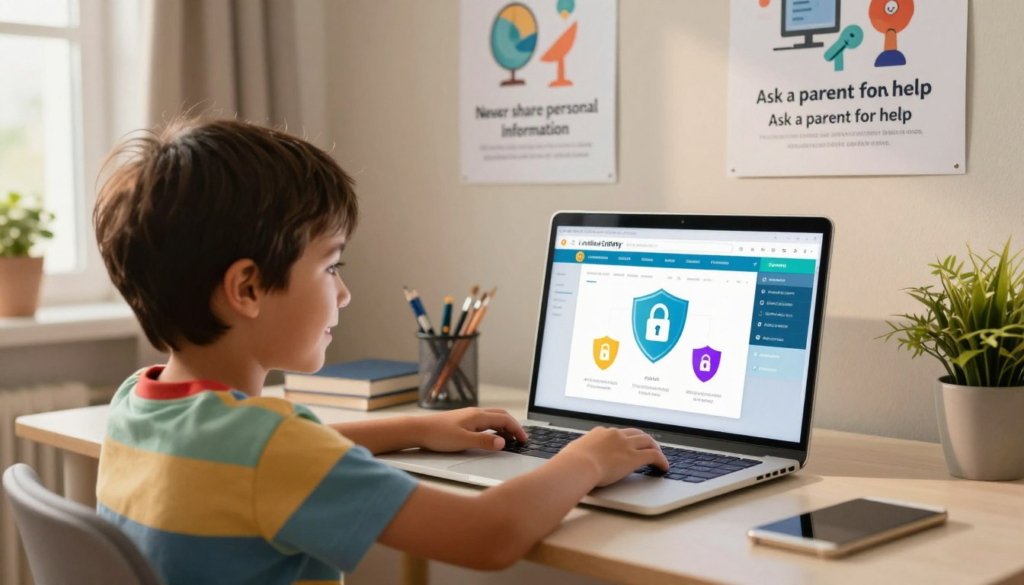
The pictures and words kids put on the internet can last forever. Here is how to teach them to protect their digital footprint.
Rule 4: The “Grandma Rule” for Posting
This is the easiest rule for kids to remember: If you wouldn’t want your Grandma to see it, don’t post it! Once a picture, video, or comment is on the internet, you can never truly delete it. Teach them to pause and think before they click send.
Rule 5: Keep Location Services Turned Off
Many apps automatically track where your phone or tablet is. Go into your child’s device settings and turn off GPS location tracking for their camera and social apps. Kids should never “check in” to locations or post photos that clearly show the front of their house or school.
🗣️ Safe Internet Practices for Kids: Communication Standards
Creating an open, judgment-free zone is the most important part of protecting children online. They need to know they won’t get in trouble if they accidentally see something scary.
Rule 6: Tell a Trusted Adult Immediately
If someone asks for a picture, says something mean, or a scary video pops up, the rule is simple: close the laptop or put down the tablet and go get a parent. Promise your child they will not lose their device privileges for being honest with you.
| The Warning Sign | What It Usually Means | The Kid’s Action Plan |
|---|---|---|
| A stranger asks to chat privately. | They are trying to isolate the child. | Do not reply. Get an adult to block them. |
| An inappropriate image pops up. | A bad ad or harmful website load. | Close the screen immediately and tell Mom or Dad. |
| A friend asks for their password. | Account theft or a hacked friend’s account. | Say no, and report it to a parent. |
Rule 7: Be Kind (No Cyberbullying)
Behind every username is a real person with real feelings. Teach your child that typing something mean is exactly the same as saying it to someone’s face. If they see bullying happening, they shouldn’t join in—they should report it.
🎣 Recognizing Digital Threats (Scams and Tricks)
The internet is full of digital traps designed specifically to trick kids who love video games and free prizes.
Rule 8: Don’t Click “Free Prize” Pop-Ups
Does a flashing banner say “You Won a Free iPhone!” or “Click here for 10,000 free V-Bucks!”? Teach your kids that these are digital traps (phishing scams) designed to steal passwords or download viruses. If it looks too good to be true, it is fake.
Rule 9: Ask Before Downloading
Kids should never download a new app, game, or software extension without asking a parent first. Many “free” games are actually malware disguised to look like fun apps.
⏰ Parental Controls for Internet Safety and Boundaries

Even the smartest kids need technological guardrails. The final rule involves setting up a healthy digital environment at home.
Rule 10: Respect the Family Screen Time Clock
The final rule is to stick to the family’s screen time limits! Devices should ideally be used in shared spaces (like the living room) rather than alone in bedrooms behind closed doors. Use built-in parental controls for internet safety to automatically lock devices at bedtime so kids can get the sleep their growing brains need.
🎉 Conclusion
Teaching your child these 10 simple rules turns the internet from a scary place into a wonderful playground. By reminding them to protect their personal info, use the “Grandma Rule,” and always come to you if something feels wrong, you are setting them up for massive digital success.
Consider writing these rules down and putting them on the fridge next to the family computer. When you explore the digital world safely as a team, your kids will learn to make smart, safe choices for life!
❓ Frequently Asked Questions (FAQ)
What are the most effective online safety tips to teach my 7-year-old?
At age 7, keep it incredibly simple. Focus heavily on Rule 5: “If you see anything that makes your tummy feel funny or scared, close the laptop immediately and come get Mommy or Daddy. You will never be in trouble.”
How can I implement digital safety rules without making my teen feel spied on?
Frame it as a partnership rather than a dictatorship. Explain that internet safety is like wearing a seatbelt—it’s just a standard life skill. Create a “Family Tech Contract” together where they get to help set the screen time limits so they feel empowered.
What are the best parental controls for internet safety available today?
For Apple families, the built-in “Screen Time” settings are excellent and free. For broader monitoring across different devices (like PCs and Androids), third-party apps like Bark, Qustodio, or Google Family Link are highly recommended by experts for filtering bad websites.
What should my child do if they encounter cyberbullying?
Teach them the “Stop, Block, and Tell” method. Do not reply to the bully, immediately block their username or phone number, and take a screenshot to show a trusted adult so the school or platform can handle it properly.
Are multiplayer video games safe for my kids to talk on?
Public voice chat in games like Fortnite or Call of Duty can be highly toxic and inappropriate. The best practice is to disable public game chat in the settings, and only allow your child to talk in a private “Party Chat” with friends they actually know in real life.